One repository, many agents,no collisions.
Give each task its own worktree: a second checkout of your project, on its own branch, in its own folder. Claude Code, Codex and the rest can then work on one repository at the same time without touching each other's files, or yours.
Three agents, three branches,one project.
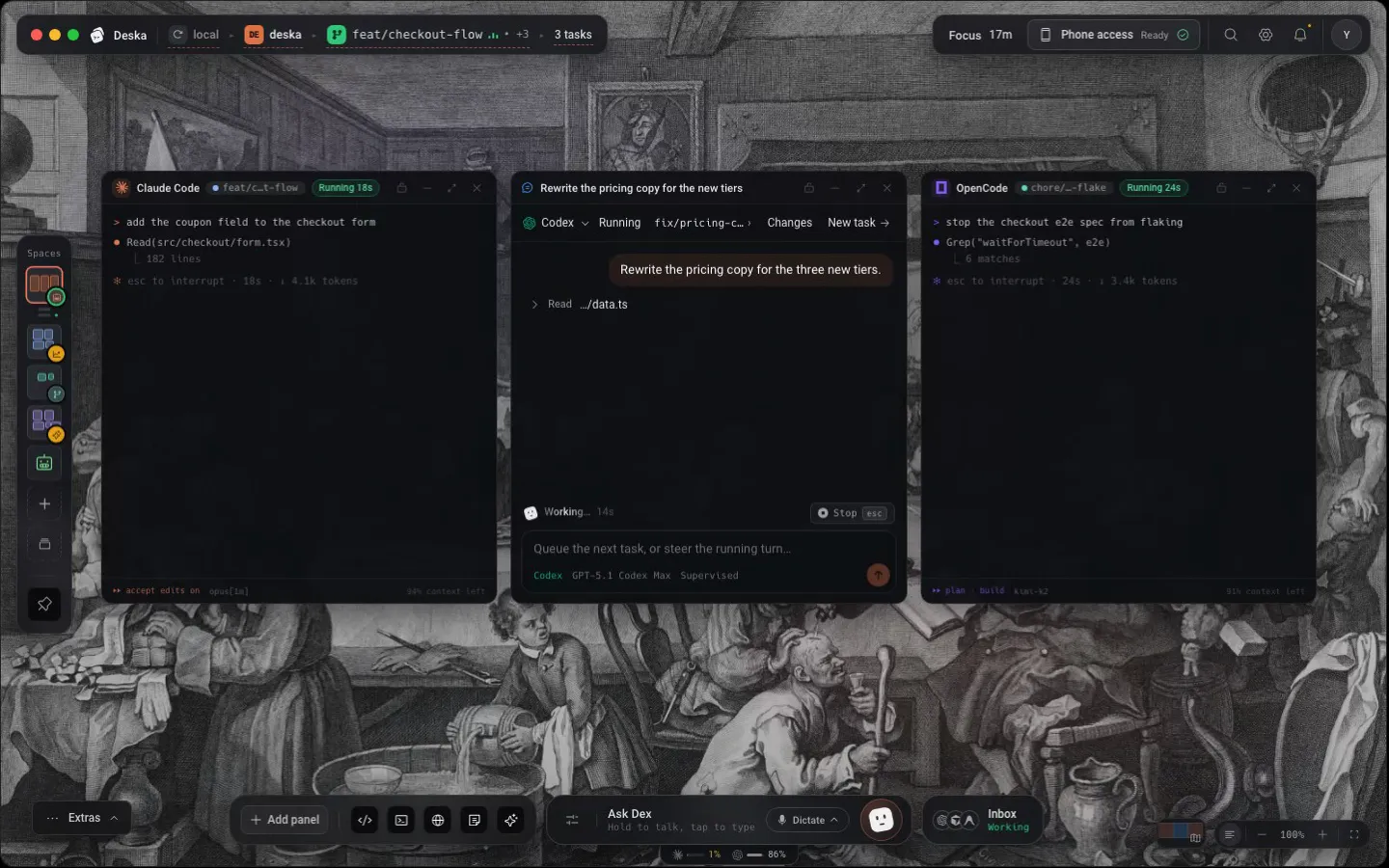
Claude Code adds a coupon field, Codex rewrites the pricing copy and OpenCode fixes a flaky test, in the same repository at the same time. Each works in its own checkout, so none of them can overwrite what another one is writing, or what you are.
- Each task gets a branch under deska/ named after it, with a number added when the name is taken (deska/hotfix-2).
- The branch you were on stays where it was, and nothing new appears in your project folder.
- A task that stops for your approval pauses only itself. The others keep working.
Start the next onebefore the first one lands.
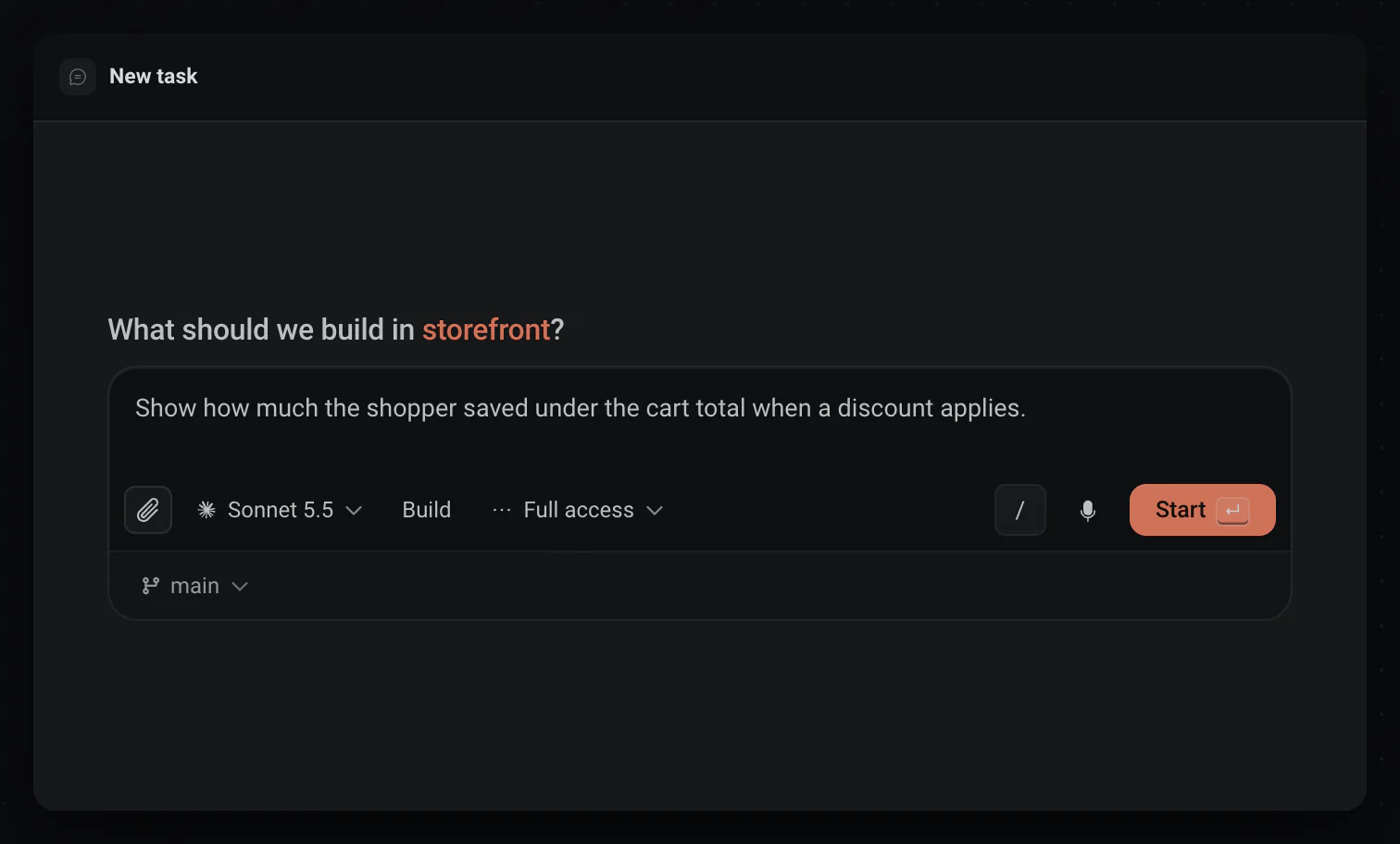
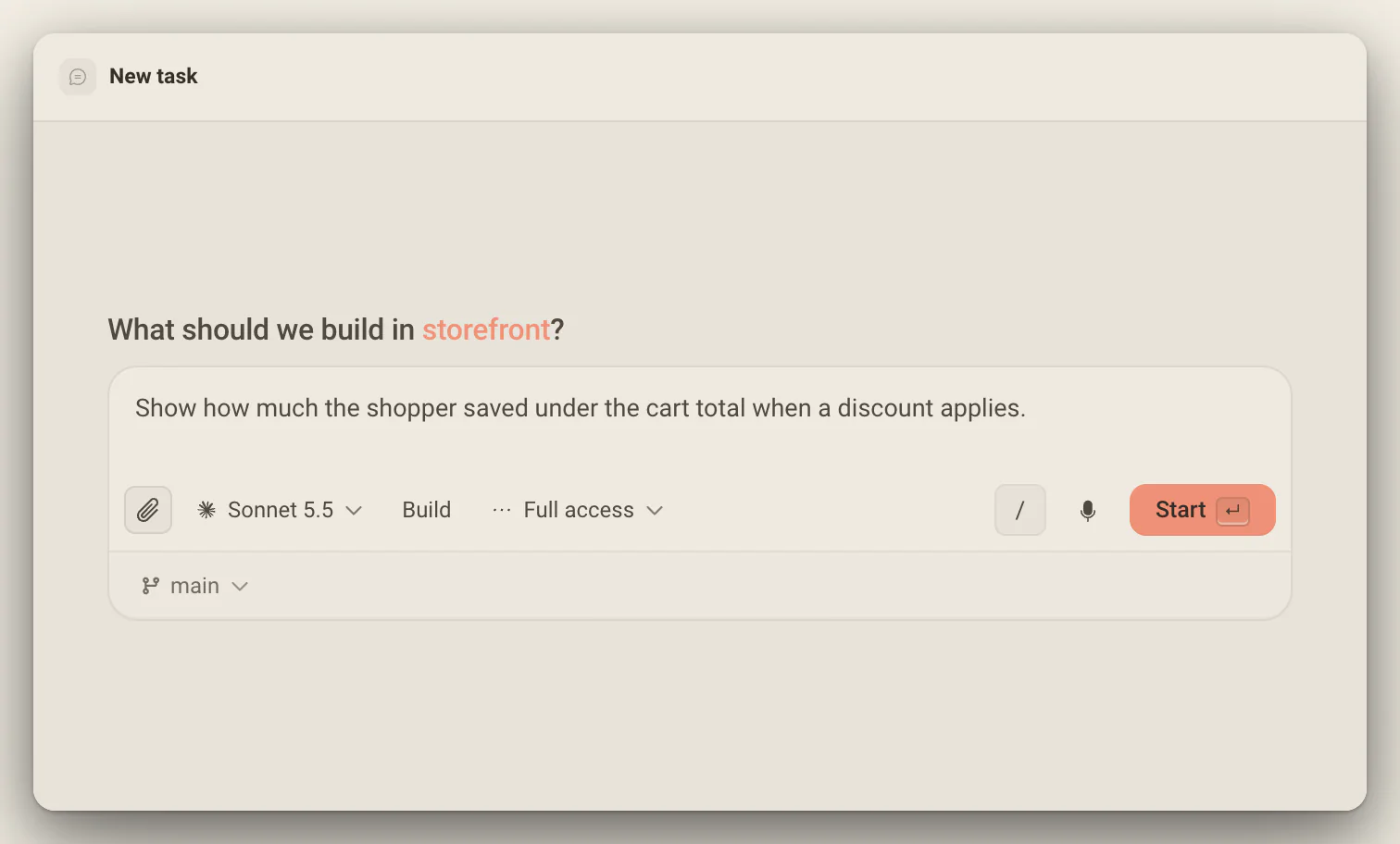
The branch chip under the prompt decides where a task runs. Pick New worktree and Deska cuts the branch, prepares the folder and starts the agent there. Press Cmd/Ctrl + Enter instead of Enter and the next draft opens beside it, on the same agent, model and modes.
- Settings > Git and worktrees > New tasks run in makes New worktree the default.
- Cut new worktrees from origin fetches the base branch first, so a task starts from what your remote has.
- Hold Cmd/Ctrl and the Start button reads Start & new.
Every worktreekeeps its own canvas.
Switch to a task's worktree and the whole desk switches with it: its terminals, its editor, its browser. Come back to yours and every panel is where you left it.
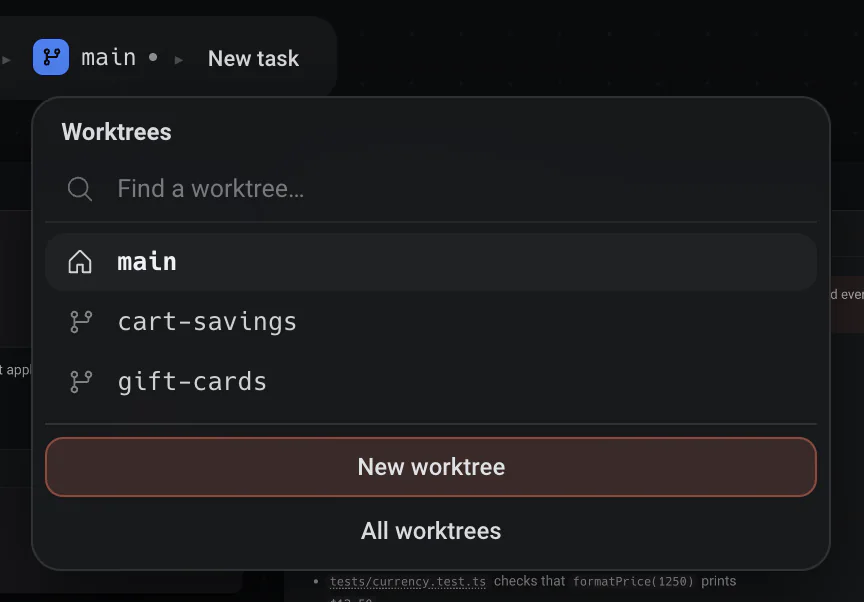
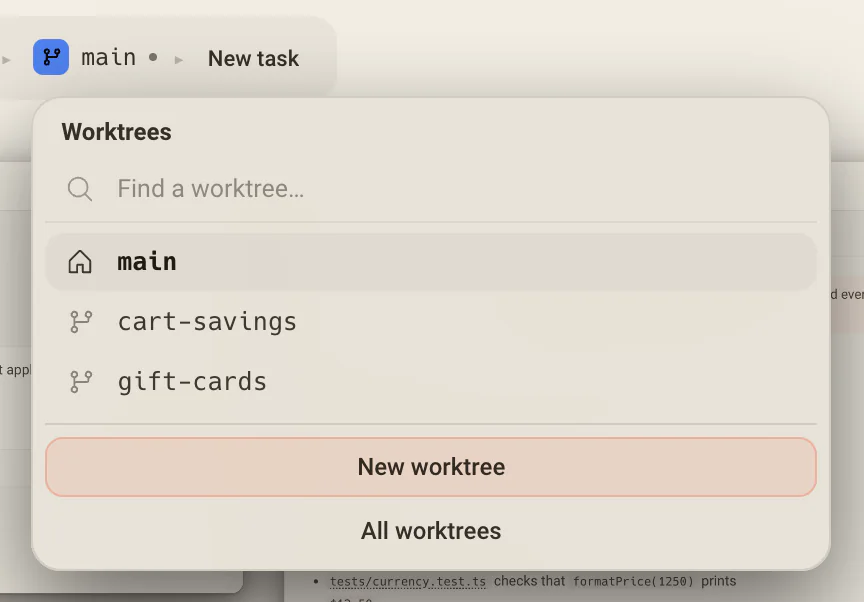
- Click the branch in the crumb to search worktrees by branch or task, with All, Active and Merged tabs.
- Cmd/Ctrl + Enter, outside a text field, shows every project and worktree at once: 1 to 9 jump, N cuts a new one.
- Right-click a worktree to open its pull request, copy its branch or remove it.
Clean upwithout losing a commit.
Once a branch is merged, remove its worktree from the switcher, or let Clean up take every worktree that has nothing left to lose in one confirm. When removing would lose something, the confirm says what, and Deska keeps a hidden copy for 30 days.
- Clean up leaves alone the worktree you are on and any with uncommitted files, an agent at work or a terminal open.
- The copy holds uncommitted files and a deleted branch's own commits. Ignored files like node_modules go with the folder.
- Ask Dex to bring a removed branch back, or to list what removing each worktree would lose.
Where a task can run
The chip under the prompt, before you press Start.
- This checkout
- Named by its branch. Changes land directly in your files, which suits one task at a time.
- New worktree
- A fresh deska/ branch in a folder of its own, cut from where you stand or from origin. The way to run several tasks at once.
- An existing worktree
- Keep working in a checkout you already have, such as a worktree you cut by hand to try something yourself.
- A pull requestGitHub
- Check out a pull request… lists the open pull requests through gh, and the task always gets a checkout of its own.
Set up fresh worktrees
A new checkout has nothing installed. deska.json does it before the agent starts.
Add deska.json at the root
Give it a scripts array, each script with a name and a command.
Flag the setup script
Set runOnWorktreeCreate to true on the one that installs and generates. Only the first flagged script runs.
Start a task in a new worktree
The script runs once inside the fresh checkout, before the first turn, with DESKA_PROJECT_ROOT and DESKA_WORKTREE_PATH set.
Read Activity if it fails
A script that fails, runs past ten minutes or never starts leaves a warning with the end of its output, and the task starts anyway.
Deska reads deska.json from the worktree first and falls back to the project root, so a branch can pin its own setup.
Ask Dex for six tasks. Get six.
Tell Dex what you want done, one task per page or per bug, and he starts exactly that many and says how many started. Whether they run in their own worktrees or on your branch follows what you asked, and when that is not clear, he asks.
One Inbox for every task
The Inbox lists every task in bands by what it needs from you: Needs you, Working, Landed and Idle. Cmd/Ctrl + Shift + J jumps to the next one waiting on you, whichever worktree it runs in.
Undo a turn, not the whole task
Each turn an agent finishes is saved to a private git ref, never to your branches. The task lists the files every turn changed with their line counts, and can put them back the way they were before that turn.
Any agent, any account
Mix Claude Code, Codex, OpenCode, Cursor and Antigravity on one project, or run several copies of the same agent, each signed in to its own account.
Worth knowing
- Start a task
- New task, or Cmd/Ctrl + I
- Start and write the next one
- Cmd/Ctrl + Enter in the composer
- Jump to any worktree
- Cmd/Ctrl + Enter outside a text field, then 1 to 9
- Next task that needs you
- Cmd/Ctrl + Shift + J
- Default for new tasks
- Settings > Git and worktrees > New tasks run in
- Branch names
- deska/ and the task's name, numbered when taken
- Setup script
- deska.json, up to 10 minutes per worktree
- Recovery copy
- 30 days after a removal
- Works with
- Claude Code, Codex, OpenCode, Cursor, and Antigravity
About parallel tasks
One canvas for everything you build.Free to start.
The complete workspace on one computer, with 10 dictation minutes a month.