Notes that livenext to the work.
Jot a thought in the corner, pin it to the panel it is about, and find it later from any workspace. Every note is a markdown file in a folder you choose, so it outlives every panel that shows it.
Notes on the canvas,pinned to what they are about.
Drop a sticky note next to the work and anchor it to a panel: a dashed line ties them, and the note reads as a comment on that panel. The text lives in your vault, so the same note open in the notebook changes as you type.
- Five paper colors, and Title, Heading, Body and Monospaced in the Aa menu.
- Unanchor sets the note loose again.
- Closing a sticky note closes a view, never the note.
- Save the cart for signed-in shoppers
- Show delivery dates next to the total
- Save the cart for signed-in shoppers
- Show delivery dates next to the total
Your notes are filesin a folder you choose.
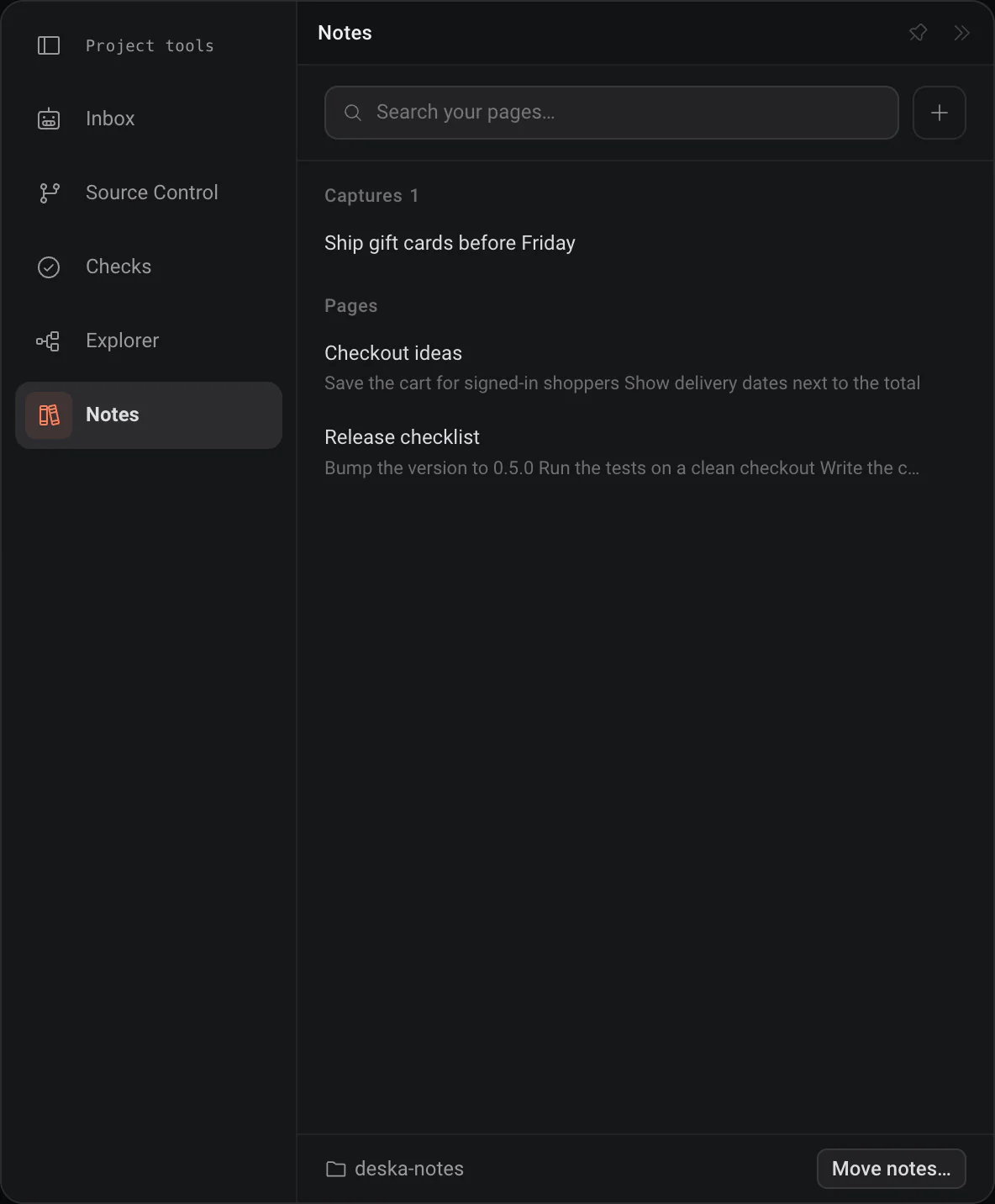
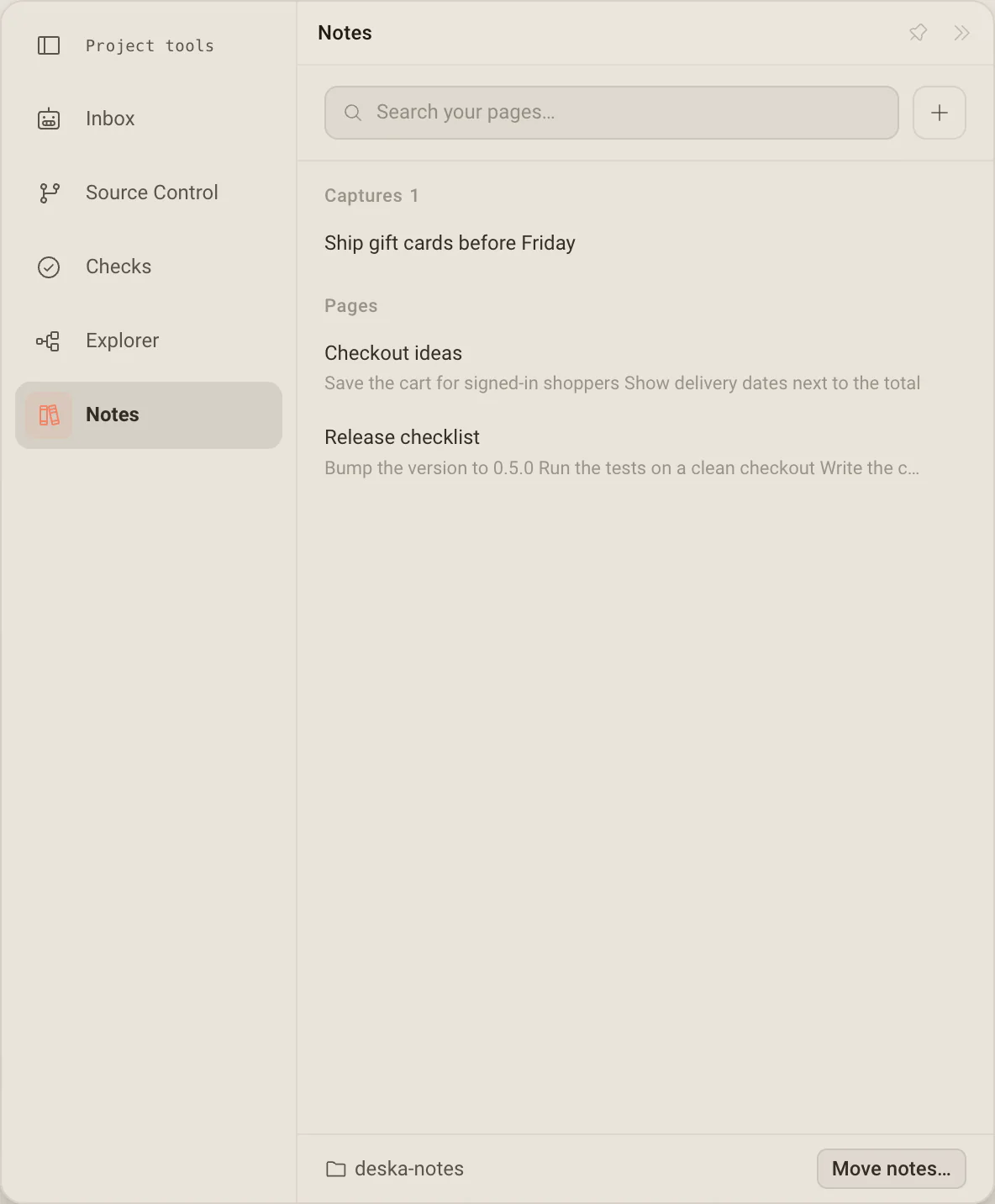
Every note is a markdown file in one folder, the vault, reachable from any workspace. Move it anywhere, even into an Obsidian vault, and open the same files from both apps.
- Type to filter every note in the vault.
- One-line captures wait under Captures to be titled or grown.
- A move is all or nothing, and never overwrites a file.
A note, a timer and music,one click from anywhere.
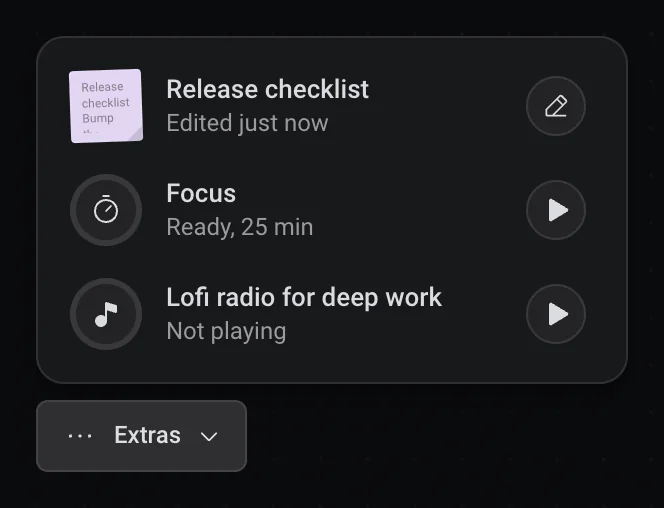
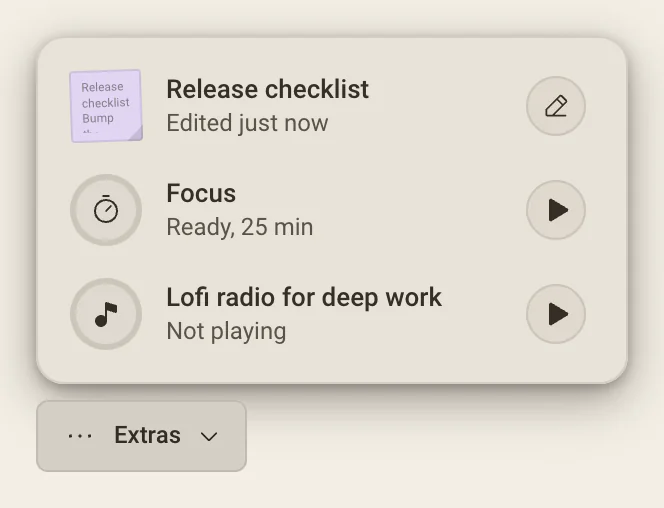
The Extras button in the corner of the canvas opens the note you touched last, the focus timer and the music player, each with its main control at hand. It stays put through every zoom, pan and workspace switch.
- Write opens the quick note as a small paper card.
- While a focus session runs, the closed button shows the countdown.
- Open as panel when the thing itself is the work.
One note, wherever you need it
The text lives once, in the vault; every place shows the same note.
- Notes page
- Browse and search the whole vault in the notebook, Cmd/Ctrl + J.
- Sticky note
- On the canvas, in one of five colors, anchored to a panel if you like.
- Quick note
- In the Extras panel, as a small paper card with a full editor.
- Todo
- Markdown checkboxes in the vault, so they outlive the workspace.
Notes that outlive every panel.
A note is a file in your vault, so closing a panel, a workspace or Deska itself never takes it along. Move the vault and every note goes with it, at once.
Closing never deletes
A note belongs to the vault, not to the panel showing it. Closing the panel closes a view; deleting a note is its own act.
Your folder, your files
Notes are plain markdown files. Move them to any folder, even an Obsidian vault, and open the same files from both apps.
Search first
The Notes page filters every note as you type, so a note is found by what it says, not by where you wrote it.
Worth knowing
- Notebook
- Cmd/Ctrl + J
- A note is
- A markdown file in your vault
- Vault folder
- Deska’s data folder, or any folder you choose
- Sticky colors
- Yellow, pink, green, blue and lavender
- Formats
- Title, Heading, Body and Monospaced
- Attach to a window
- Drag to its top-right corner, one note per window
- Comment on a panel
- Right-click a sticky note, Anchor to
- Quick note
- The Extras button, bottom left of the canvas
- Focus timer
- 25 minutes of work, 5 of break
About notes
One canvas for everything you build.Free to start.
The complete workspace on one computer, with 10 dictation minutes a month.